
AI in Legal Practice

Amy Swaner
Calculating...
Prompt engineering has been declared dead so many times that the obituaries now have their own genre. IEEE Spectrum ran the headline "AI Prompt Engineering Is Dead" as early as March 2024 — though they hedged at the end to say "long live AI prompt engineering." I wasn't convinced. That October, I published a full Advanced Prompt Engineering guide — because the skill was very much alive and, for lawyers, worth doing well.
Maybe just the title died. Job postings with "Prompt Engineer" in the title have fallen sharply since late 2024, and in Microsoft's survey of 31,000 workers across 31 countries, "prompt engineer" ranked second-to-last among roles companies plan to add. But the ability still matters, it’s just now assumed. As Nationwide's CTO put it bluntly, prompting is becoming "a capability within a job title, not a job title to itself." Makes sense.
While postings titled "Prompt Engineer" declined, LinkedIn postings that list prompt engineering as a skill grew roughly 250%. Compensation for work that leans on the skill has risen, not cratered. That doesn’t scream rigor mortis to me. Prompt engineering is following the path of "web design" or "spreadsheet skills." Nobody advertises "HTML expert" anymore, but the underlying literacy is assumed. — invisible because it's everywhere, not because it's gone.
So despite the LinkedIn posts to the contrary, prompt engineering hasn’t died. I’d say it’s grown up a bit. No more of the cheap flattery a la “You’re the best ever legal expert” and cheap tricks such as “getting the correct answer is a matter of life and death.” If you’re honest, I’d bet you used some of those tricky threats and promises but you no longer do.
What Prompt Engineering Used to Look Like
The models got good enough that "tricky" prompting stopped mattering. The were valuable prompting techniques that I taught and used. In fact, I still use some of them. And then, there were some outlandish 'techniques' that were actually only puffery. Things like bribes ("I'll give you a $1MM"), saying someone's life depended on the correct answer, or spending more time framing the role than the actual substance in the ask were hokey time wasters.
The Techniques That Died Before the list of what works, here's what to stop doing — the prompting rituals that smarter models now make pointless:
Flattery. "You are a world-renowned expert with an IQ of 200." The model is not motivated by praise. A real role and a quality standard (technique 1, below) still help; the puffery doesn't.
"Take a deep breath" / "I'll tip you $200." These genuinely circulated as performance hacks. They were always throwaways--based more in hope and superstition than good practice. Research has shown them to be ineffective when tested systematically.
Chain-of-thought on everything. Forcing "think step by step" onto simple prompts just pads the output unnecessarily. And current reasoning models already show their work when it matters.
Elaborate few-shot examples for routine tasks. Few shot prompting had a real and justifiable basis. It was even useful to obtain things as basic as formatting. It's now overkill for anything but very specific needs.
The machine can now prompt itself. Research has found that prompts auto-generated by the model frequently outperformed the ones humans hand-crafted. Tools that optimize prompts for you are now routine, and Gartner has projected that in 2026 a large majority of enterprises will lean on AI-driven prompt automation. If the model writes a better prompt than you do, you might as well use it.
Prompt Engineering’s Glow Up
Does anyone still say that – “glow up”? Maybe I’m once again revealing my age. But prompt engineering still matters. Especially with regard to instructions to agents. It just looks more sophisticated and elegant now.
Its gone from tricks to techniques. You still need to state exactly what you want, with the right context, constraints, and success criteria — which is just thinking clearly about the problem. No model eliminates that, and if we hand models bigger and riskier jobs, our task goes from coaxing a mediocre model into giving us something we can work with, to precisely directing a powerful one. You know this instinct from any professional context: a well-framed research question beats a vague one every time. and the model will not fix the imprecision you left in.
A noticeable shift. Although most AI models now really help with prompt engineering, we still nee context engineering — designing everything the model sees on a given call, not just the sentence you type. When Andrej Karpathy and Shopify's Tobi Lütke both publicly argued in early 2025 that context engineering was the real skill worth developing, the industry picked it up fast. (I wrote about why this matters for lawyers deploying agentic systems in my piece on the Clawdbot disaster — when your AI has broad authority and no judgment, what it can see is a governance problem, not just a quality one).
Seven Ways to Improve What You Get from your AI Tool
These are the techniques I actually use, and recommend to lawyers, in legal work and consulting. Every one is a way of removing ambiguity the model would otherwise resolve by guessing. Remember what these tools are: prediction machines trained to produce the response a human is most likely to approve of. Reinforcement learning from human feedback improves how useful they seem, but it can also teach them to tell you what you want to hear over what's true — a documented failure mode commonly called sycophancy.

1. Assign a role and a standard that will help shape your output. "You are a helpful expert" does nothing. "Respond as a litigator reviewing this for a motion to dismiss; flag anything a judge would question" gives the model a focus and a quality bar. The role narrows the acceptable answers. When you need a specific voice or format — your own personal writing style, a particular precedent — show it an example rather than describing it ("match the structure and register of this"). That's the only time I still bother; for ordinary asks the models no longer need the hand-holding.
2. Specify format when the format affects the substance. For a one-off, you can get the content first and reformat later, no worries. But here are two situations when you need to state the format up front. First: when you'll reuse the prompt, and second, when the format changes how the model thinks, not just how it looks.
For example, ask a model to extract contract terms into a table with columns Provision | Party Obligated | Trigger | Deadline | Source §, and your AI reads the document obligation-by-obligation to fill each cell — it can't leave a column blank without exposing the gap. Whereas if you ask it to “summarize the key terms" you get a smooth paragraph or bullet points that might just skip that one obligation on page 14 that didn’t seem as important. See how the format changed the output? Same document, different reasoning — because the format forced completeness. Consider whether your prompt should include a format to help force completeness.
3. Give context and constraints, not just the task. The task is "draft a client update." The context is who the client is, what they already know, what tone fits, and what you must not say. Any ambiguity you leave in, the model will fill in for you — usually in a glossy way that isn’t especially noticeable, and worse, sometimes with content that is wrong but is hard to catch because it looks good. This is an incredibly important principle.
4. Set the boundaries of what you don't know — and make it permanent. Tell the model to flag uncertainty, separate what it's confident about from what it's inferring, and say when something can't be verified. To make this easier on yourself, stop retyping this every session and put it into persistent settings at two levels. The first is an account-wide layer; your global/custom instructions (the "personalization" settings most tools now offer). Mine include this imperative: never invent a citation; if you're not certain a source is real, say so, and flag any assumption you're making. If you state a fact, give me a live link to a primary source. I say some variation of that three different times in my Claude global instructions.
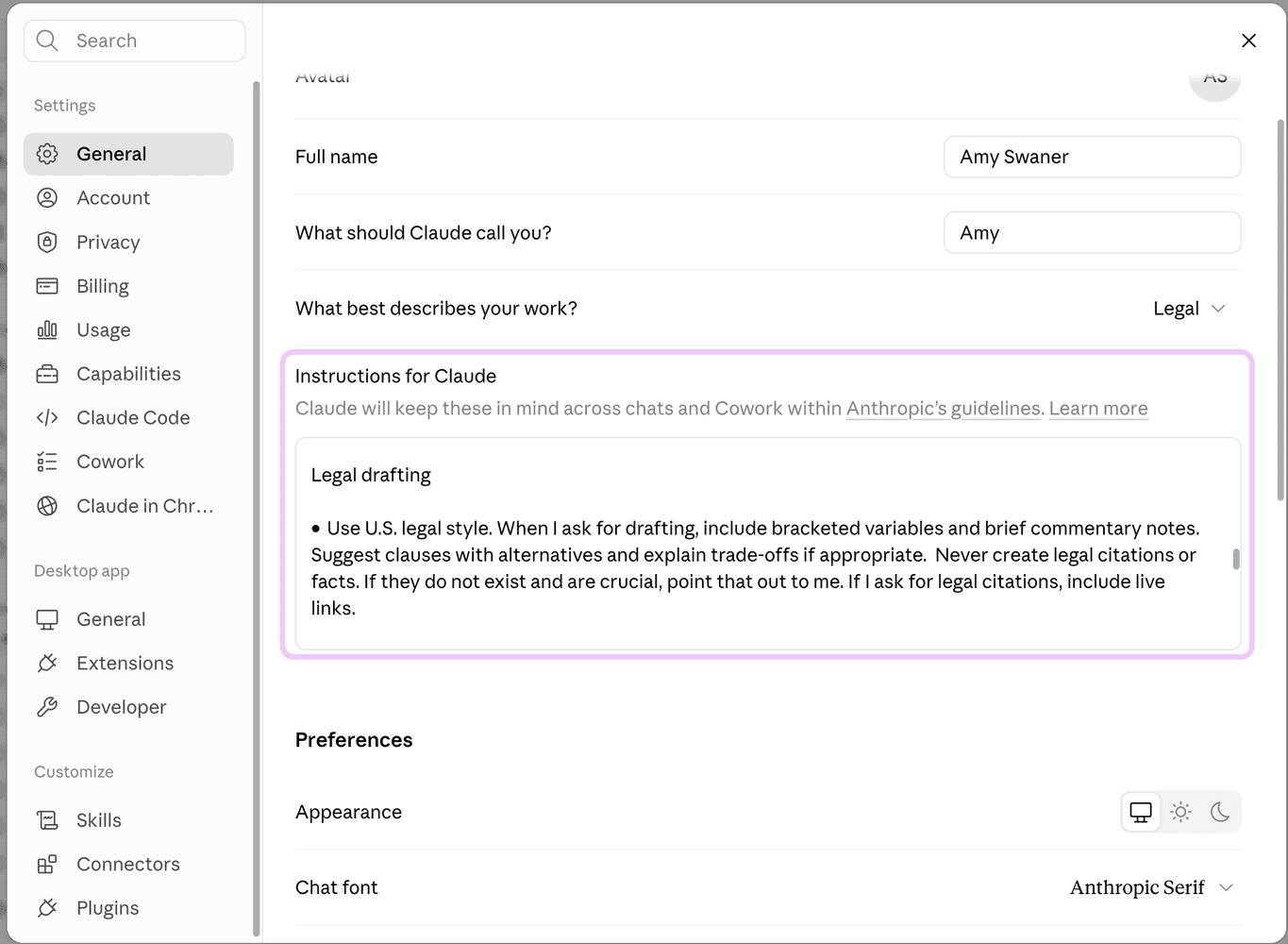
Use global or system instructions for your AI Tool -- here, Instructions for Claude
You can also add it to a matter-specific layer is a Project, Custom GPT, Gem, or folder — a scoped workspace where you load the relevant documents and standing instructions for one client or workstream, so the model carries that context into every conversation without you re-explaining. Think of it as one custom instruction set for how you always work, and one per matter for what this work is.

Attach instructions to a custom GPT (eg. Gems in Gemini, GPT's in ChatGPT, Projects in Claude)
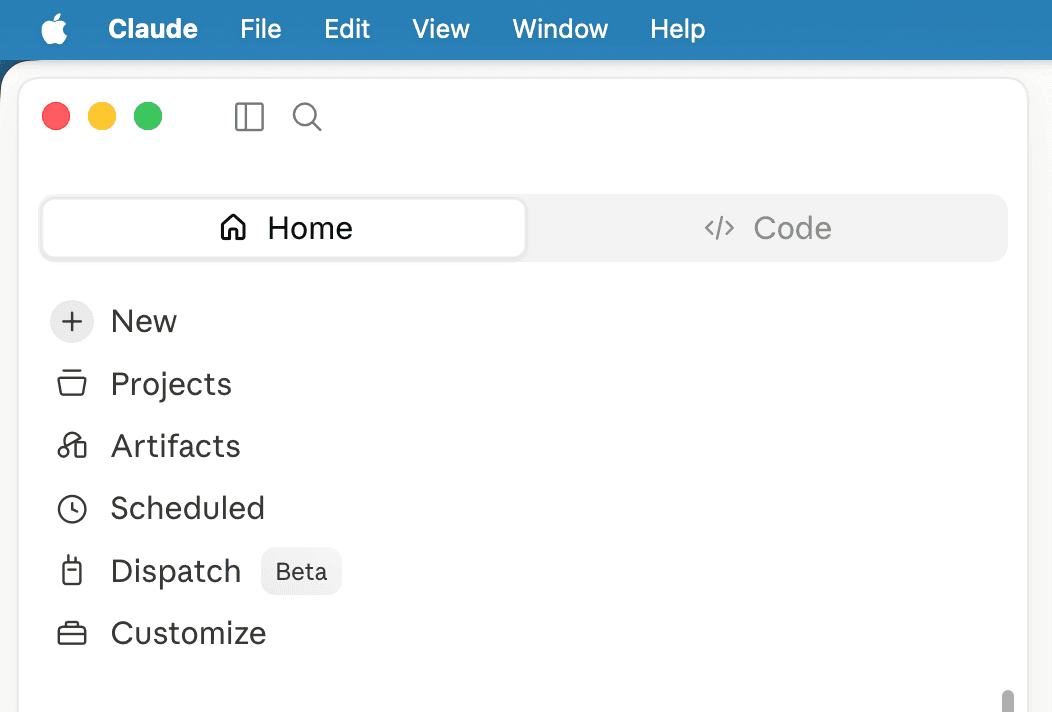
Attach instructions to a folder
5. Don’t believe everything your AI tells you. There's a running debate that AI is making us lazier thinkers. I'd argue the opposite: you have to think harder now, because the answers come out silky smooth like a buttery chocolate truffle — easy to let them melt away, lulling you into a brief happy stupor, whether or not they're right. The skill you need to develop is resisting that gloss long enough to check that the substance is correct. It sounds good even if it’s wrong, and you would have caught it had it not been stated so smoothly. Think through all of the principles. Or better yet, add all of your points, or contentions into your AI tool, then ask the AI to build around them. Follow up by asking what you missed, or three ways to make to make the output better. But always, always, challenge the reasoning, demand the source, or ask "what would make this incorrect?" If in doubt, push back and make it defend its answer.
6. Engineer the context. For anything beyond a one-off, control the whole information environment — which documents the model can see, what's in the system instructions, what history it's carrying, what tools it can call. A mediocre prompt with the right context beats a beautiful prompt with the wrong context every time. Models have real limits on what they can reliably hold and reason over at once. Even the newest, most powerful iterations of AI tools how context limits. Use those context windows to your advantage. For example don't ask for ‘a full contract analysis’ of a 250 page complex contract in one shot. Ask it to (a) extract every obligation, then (b) flag the unusual ones, then (c) draft proposed edits. Each step stays within the model's reliable working range, each is checkable, and errors don't compound without you knowing — which, not coincidentally, is also how you keep a human in control of the output. Gain insight into and understanding of context and how to use context engineering to your benefit here.
7. Have your model interview you before it answers. This is the most underused technique I know, and it genuinely improves your output. It works precisely because the models got better at recognizing what they don't know. Instead of trying to anticipate every constraint yourself, make your AI tool do the work. I end nontrivial prompts with "What questions do you have for me before you start?" You'll get back questions that will help to fill in the gaps you didn't think to fill. Even with AI tools that are fairly good at asking follow up questions without being prompted, I still find this gives me the best output.
The Bottom Line
Prompt engineering was a thing. It was important and necessary. Not so much anymore, but there are still techniques that make your output higher quality. And two more quick bonus tips: First, your AI tool might have the “perfect my prompt” button. Sure, it will fill out a thin prompt, but read this ‘plumped up prompt’ carefully. Is it really better, or it is making assumptions that are generally appropriate, but are skewing the answer? Second, please ALWAYS CHECK EVERY CITATION. Always.
© 2026 Amy Swaner. All Rights Reserved. May use with attribution and link to article.
More Like This

The Case of Amazon v. Perplexity
Amazon’s fight with Perplexity raises a bigger question: who controls—and profits from—the customer relationship when AI does the shopping?

What I Hate About Minnesota’s Nudification Statute
Minnesota’s new nudification law targets an urgent harm, but its “technical skill” exemption creates a troubling loophole: easy tools are banned, while the same nonconsensual image may escape liability if it took more work to create.
‘Reports of My Death Have Been Greatly Exaggerated’ — Prompt Engineering
Prompt engineering isn’t dead—it has grown up, replacing tricks and flattery with a more thoughtful approach that helps lawyers give AI better context, set clearer boundaries, and produce more reliable results.

